How to Create Professional AI Videos With Veo 3 Prompt Generator in Under 5 Minutes

Tư duy hệ thống (Systems Thinking) cho CEO giải quyết gốc rễ
24 May, 2026
Lãnh đạo linh hoạt trong bối cảnh cực kỳ biến động (BANI)
24 May, 2026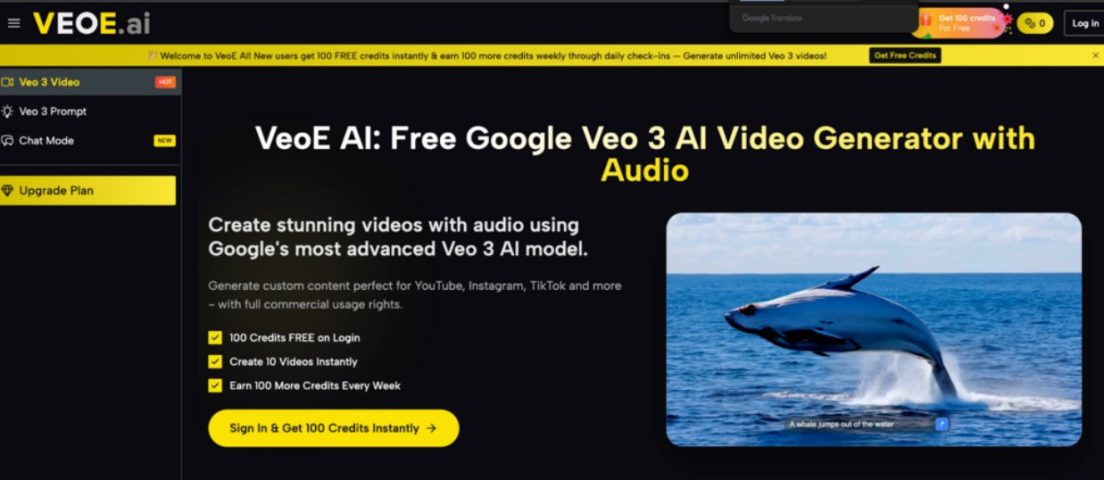
Last updated on 27 May, 2026
Video content has never been more important — and never more exhausting to produce. Most creators hit the same wall: great ideas, not enough time or budget to execute them properly. AI video generation is the obvious solution, but the learning curve on most tools is steeper than it looks. Prompt engineering alone can eat up more time than the editing you were trying to avoid.
VeoE AI takes a different approach. Built on Google’s Veo 3 model and designed around accessibility, it gives you a shortcut that most AI video platforms overlook: a ready-made prompt library that removes the guesswork entirely. Here’s exactly how to use it — and how to get the most out of everything the platform offers.
What Is the Veo 3 Prompt Generator?
The Veo 3 Prompt Generator is a built-in feature on VeoE AI that helps you create professional videos faster — no prompt writing experience needed. Here’s what it does:
- Ready-made prompt library — Browse hundreds of curated, tested prompts across styles like cinematic, product showcase, horror, ASMR, landscape, and more. Every prompt has already been refined for strong output quality.
- Preview before you generate — Each prompt comes with a real example video so you can see exactly what the result looks like before spending any credits.
- One-click apply — Hit “Use It” on any prompt and it loads directly into the generator. Run it as-is or customize specific details — location, lighting, mood, pacing — to match your project.
- AI prompt writing assistant — Not sure how to describe your idea? Type a rough concept and the AI generates a complete, optimized Veo 3 prompt for you automatically.
- Sets a quality floor — Because you’re starting from proven prompts rather than guessing, fewer generations fail. Less wasted credits, faster results, better output from the very first try.
How to Use the Veo 3 Prompt Generator Effectively
1. Claim Your Free Credits First
Getting started on VeoE AI costs nothing. Here’s how to make the most of the free tier before spending a single dollar:
- Sign up at veoe.ai — no credit card required. New users receive 100 credits instantly on account creation. Each standard video generation costs 10 credits, so you have ten full generations from the moment you log in.
- Top up weekly for free. Complete daily check-ins to earn an additional 100 credits every week. The free tier is designed to stay usable long-term, not just as a one-time trial.
- Browse the prompt library before generating. Head to the Veo Prompt section from the main navigation. Each prompt includes a real example video — use them to understand what different styles produce and which models suit your content type before committing any credits.
- Apply a prompt in one click. Hit “Use It” on any prompt and it loads directly into the generator. Run it as written or personalize it — adjust the location, lighting tone, emotional atmosphere, or pacing to fit your specific project.
- Choose the right model for the job. The platform gives you access to multiple models from one dashboard:
- Veo 3.1 Basic — reliable for most general-purpose content
- Veo 3.1 Premium — best for cinematic quality and audio synchronization
- Seedance 2.0, Kling 3.0, Runway Gen4 — specialized strengths for different visual styles
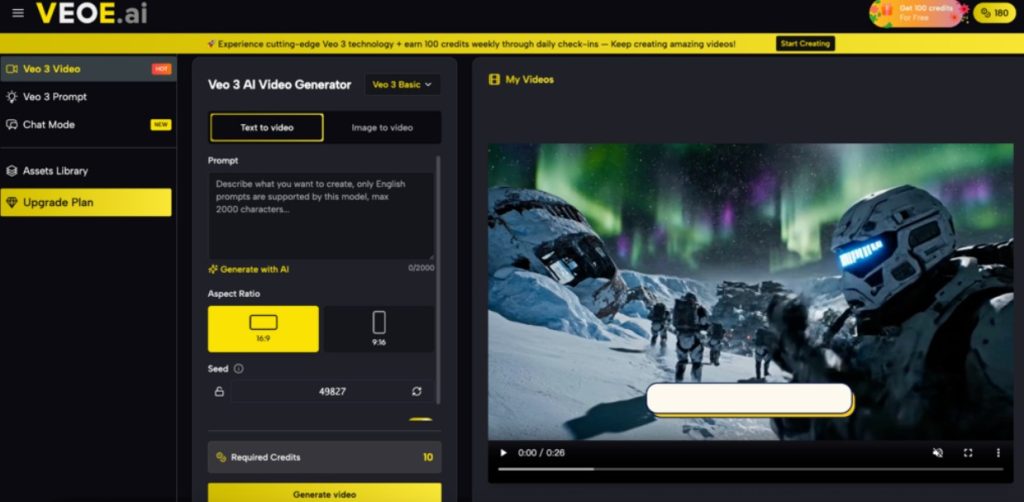
- Set your aspect ratio before you generate. 16:9 for YouTube and standard web, 9:16 for TikTok, Instagram Reels, and Shorts. Generation completes in two to five minutes and includes synchronized audio natively — no separate audio workflow needed.
2. Pair It With Chat Agent for Better Output
The prompt library gives you a strong starting point. Chat Agent is what turns a good result into exactly what you had in mind.
- Conversational refinement, not re-prompting. Chat Agent maintains full context across your session. Describe what you want, receive an output, and respond to it in plain language. The system remembers everything — you never have to re-explain the original concept.
- Make precise adjustments naturally. Instead of rewriting a prompt from scratch, just say what needs to change:
- “Make the pace slower in the second half”
- “Shift the color palette to something warmer”
- “The lighting feels flat — make it more dramatic”
- Each instruction produces a refined generation that builds on what’s already working rather than starting over.
- Ideal for multi-clip projects. Building a series, a campaign, or a multi-part explainer? Chat Agent maintains visual and tonal consistency across every generation. Your third clip will feel like it belongs with your first because the system holds the context of the entire project — not just the last prompt.
- Upload reference images mid-conversation. If words aren’t enough, drop in a reference image and Chat Agent incorporates the visual direction into the next generation automatically.
- Removes two friction points at once. The prompt library solves the blank-page problem at the start. Chat Agent removes the ceiling on how refined the result can become. Together they cover the full creative workflow — from first idea to final output — without requiring any technical expertise.
Creating professional AI video
Pricing
VeoE AI’s pricing is straightforward. The free plan is genuinely functional — 100 credits on signup plus weekly top-ups through check-ins, covering around ten video generations with no payment required. Commercial usage rights are included across all plans from day one.
| Plan | Monthly Price (Billed Annually) | Annual Credits | Videos Per Year | Key Benefits |
| Free | $0 | 100 on signup + 100/week via check-in | Up to 10 | All core models, commercial rights included |
| Starter | $8.3/month | 2,400 credits/year | Up to 240 | HD watermark-free downloads, private mode, priority processing, ad-free |
| Pro | $30/month | 21,600 credits/year | Up to 2,160 | HD watermark-free downloads, private mode, priority processing, ad-free |
| Ultra | $49.9/month | 48,000 credits/year | Up to 4,800 | HD watermark-free downloads, private mode, priority processing, ad-free, best value |
Conclusion
The Veo 3 Prompt Generator solves the part of AI video creation that most tools ignore: the starting point. By giving you a library of proven prompts paired with real output examples, it removes the guesswork that typically slows down the process and inflates the cost in wasted generations.
Pair that with Chat Agent for iterative refinement, a multi-model dashboard that lets you match the right tool to each project, native audio synchronization that eliminates post-production audio work, and a free tier that gives you real creative room before spending anything — and VeoE AI makes a strong case as the most practical entry point into professional AI video creation available right now.
The fastest way to evaluate it is to use it. Sign up at veoe.ai, claim your free credits, open the prompt library, and run your first generation. Five minutes is genuinely all it takes to go from blank page to finished video.
Further Readings:
AI – Trí tuệ nhân tạo